Where did it go?
At the end of the month the numbers do not add up. Small purchases quietly turn into a large sum.
Expense tracker and budget app
Cash, cards, currencies and debts in one app. Set a budget, pay bills on time and know exactly where the month's money went.

The real app, shown with sample data
Sounds familiar
At the end of the month the numbers do not add up. Small purchases quietly turn into a large sum.
Some in your pocket, some on a card, dollars at home and debts in your head. The total is nowhere to be seen.
Electricity, gas, internet, a loan. You remember only after the due date has passed.
When you know where every coin went, you get to decide where the next one goes.
Features
Recording takes a few seconds. The app does the counting, the reminding and the analysis.
Cash, cards, savings and foreign currency. Each account keeps its own currency, and you can pick any of 156.
File a card payment once. The app remembers the shop and files the next payments itself.
An overall limit and limits per category. You always see how much you can spend per day.
Eight ready reports: categories, this month against last, weekdays, your largest expenses.
How much went out on each day, on a month calendar. Tap a day to see its transactions.
Electricity, gas, water, internet, rent, loans. Your phone reminds you 3 days before, on the day and if you are late.
Who owes you and whom you owe. With the amount, the date and the due date, in any currency.
Transactions, accounts, bills and debts in a single .xlsx file.
Your data is saved on the server. A new phone picks up where the old one stopped.
With 133 icons. Rename them or add your own.
Find any transaction by shop, note or category.
Figures in the cards are sample data.
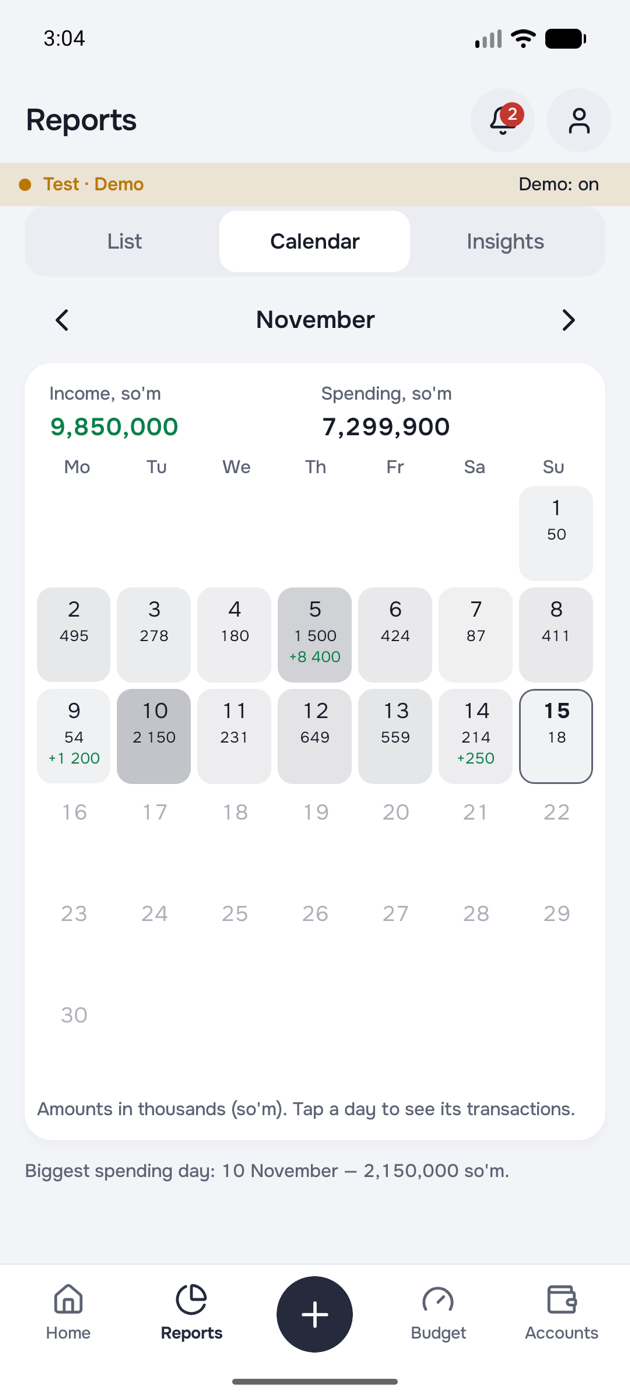
Reports
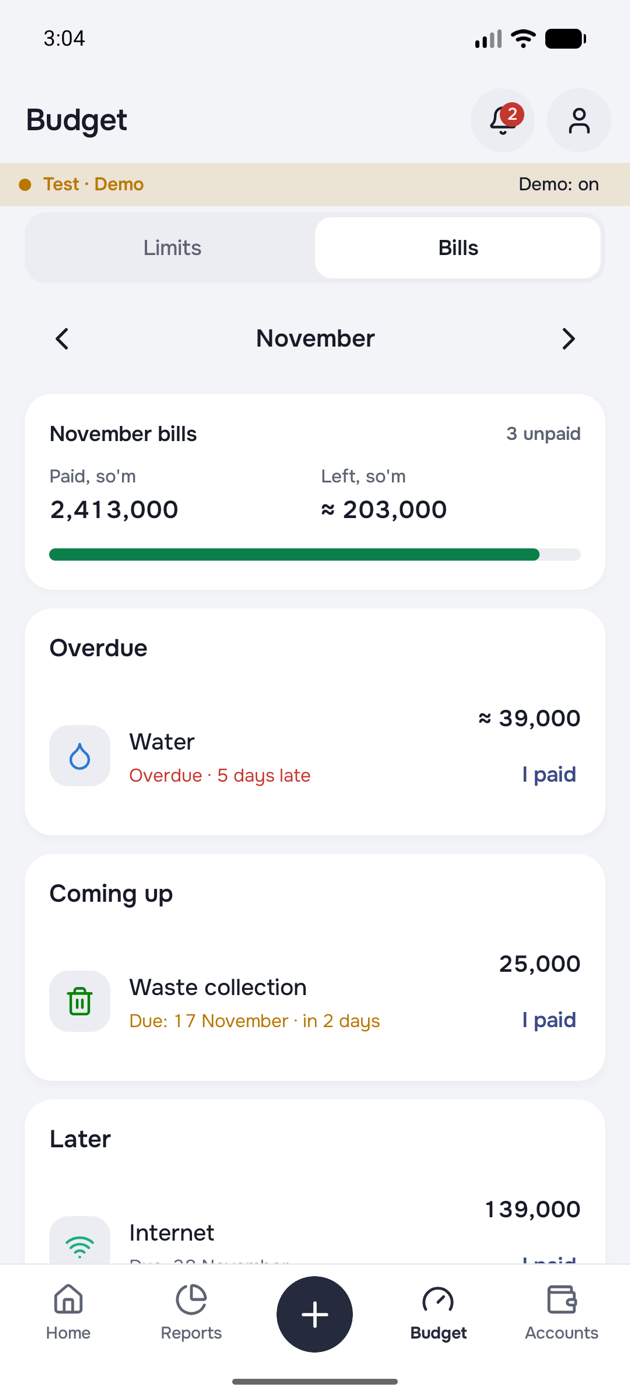
Regular bills
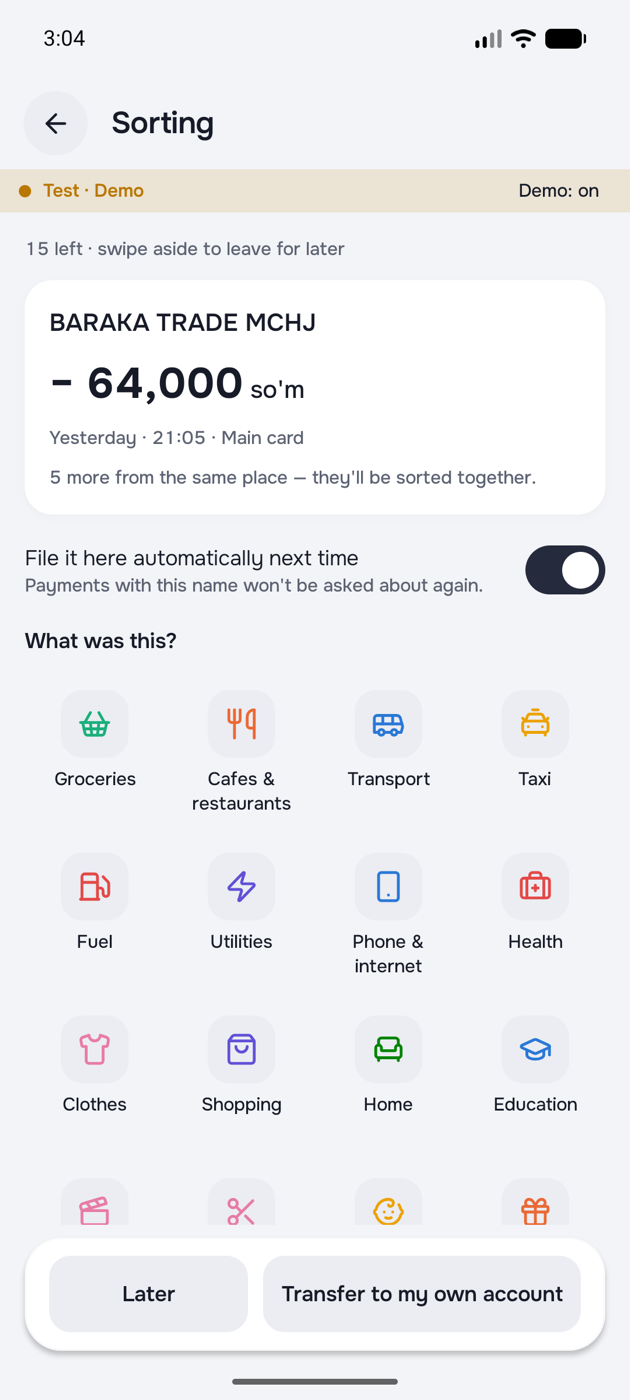
Sorting
Coming soon Works in Uzbekistan once Humo and Uzcard cards are linked.
How it works
No password. A code arrives by SMS and that is all you need.
Pick your country and main currency. Cash is ready to go; add cards and savings with their balances.
An expense takes a few taps. Budget, calendar and insights update on their own.
Who it is for
Groceries, utilities, the children. Put a limit on each and see that the month works out.
So'm, dollars, roubles or euros. For people working abroad and freelancers, accounts sit side by side.
Keep an eye on the daily limit, and a stipend or a salary lasts until the end of the month.
Loans, rent, utilities. Every due date in one list, and your phone reminds you.
The difference
| KartaXabar | Bank apps | Excel or a notebook | |
|---|---|---|---|
| Cash tracking | |||
| Several currencies side by side | Own cards only | By hand | |
| Monthly budget and daily limit | By hand | ||
| Reminders for due dates | Own services only | ||
| Debt tracking | |||
| Ready reports and charts | Own card only | By hand |
The bank apps column describes the typical case and may differ for some banks.
Security and privacy
KartaXabar keeps the records. It never touches the money.
The app makes no payments and no withdrawals. It only keeps track and reminds you.
You confirm a card link with your bank's SMS code. The app shows only the last four digits of a card.
You sign in with a one time code sent to your phone. Session keys stay in the phone's protected storage.
Delete your account inside the app. Your data is removed from the server and from the phone for good.
In plain words
FAQ
KartaXabar is an expense tracker and budget app. You keep cash, cards, foreign currency and debts in one place, set a monthly budget, follow the due dates of regular bills with reminders, and see in reports where your money went. It runs on Android and iPhone, in English, Uzbek and Russian.
Right now in Telegram: open @KartaXabarBot. The App Store and Google Play releases are close; the links will appear on this page.
It is free for now. If paid features ever appear, their prices will be published on this page in advance.
Any country. The app has 156 currencies; each account keeps its own currency and they are shown side by side. Totals and budgets are counted in your main currency, and other currencies are shown separately without conversion.
Linking Humo and Uzcard cards in Uzbekistan is coming soon. Until then, and in other countries, you record card spending by hand, which takes a few seconds.
Yes. The app never asks for a CVV or a PIN. When you link a card, its number and expiry date are sent to the bank and confirmed with the bank's SMS code. KartaXabar shows only the last four digits of the card.
No. KartaXabar keeps track of your money and reminds you about bills, but it does not move money or make payments.
A bank app usually shows only the transactions on its own cards. KartaXabar shows all your money together: cash, cards from different banks, foreign currency, savings and debts. On top of that you get budgets, bill reminders and insights.
Yes. What you record is saved on the phone and sent to the server when the connection is back.
Your data is saved on the server. Sign in on the new phone with the same number and everything is there.
Yes. “Export to Excel” in Profile puts transactions, accounts, regular bills and debts into one .xlsx file that you can send by Telegram or email.
English, Uzbek and Russian. You switch the language in Settings with one tap.
Profile → Personal details → “Delete account”. Everything is removed from the server and the phone, and this cannot be undone.

Recording the first expense takes a few seconds. At the end of the month you know exactly where the money went.